ReloopsR
Reloops
Aug 18

Misleading project deletion controls + unsupported individual file uploads

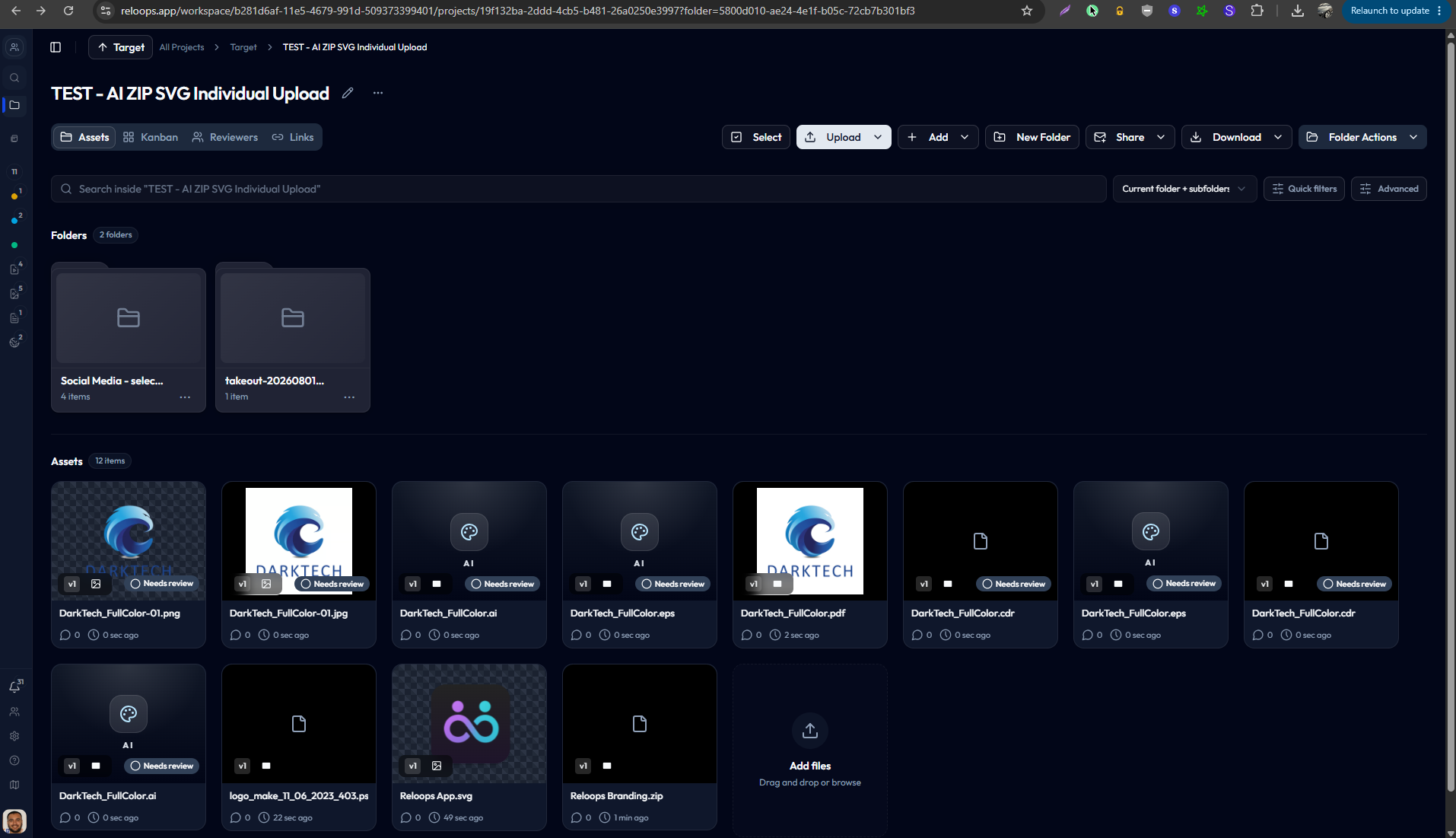
I’m encountering a couple of usability issues that are making the app frustrating to use:- Misleading “Delete Project” placement: The project menu appears in the same area where folders are managed. I mistook “Delete Project” for a folder-level action and accidentally deleted my entire project. Project actions should be clearly separated from folder controls. The confirmation should also identify the project and clearly warn that all its folders and files will be permanently deleted.- Limited individual file uploads: Can ZIP, Adobe Illustrator/Photoshop files be uploaded individually? I have only been able to include them when uploading an entire folder. These are common asset formats, so not being able to upload them individually significantly limits the app’s usefulness for asset management.I really want to enjoy and use the product, but I’m having a genuinely frustrating experience with some of these basic interactions. Could you provide an idea of when improvements to these usability issues might be available? I need a workflow that functions smoothly now, and a long wait for fixes would make it difficult for me to continue using the app.
CompletedCompleted

Aug 19, 2026

Happy to help! Glad I was able to clarify. I noticed that "rename" is now in two spots. Not sure if that's intentional or not. Love the sharing option only shares the folder and not the entire project now!

Pinned
changed status toCompleted·Aug 19, 2026
Aug 19, 2026

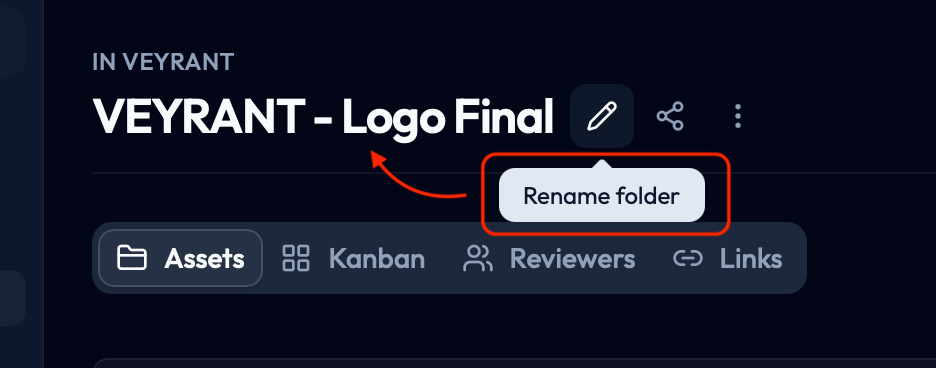
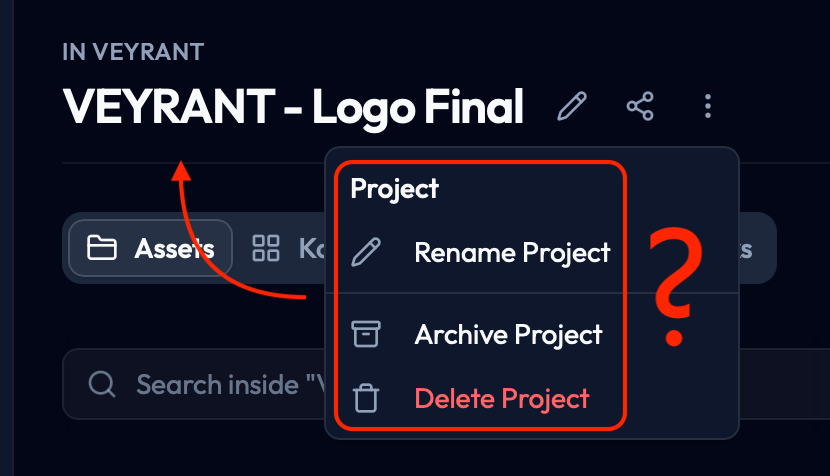
Hey! Thanks for the clear screenshots, that made it obvious what was going on. You were right, that was a bug. The "⋮" menu next to the folder name wasn't checking whether you were inside a folder or at the project's root level, so it was always showing the project-level actions (rename/archive/delete project) even when you had a folder open. The rename button next to it happened to be wired correctly (that's why it said "Rename folder"), but the "⋮" menu and the Share icon next to it weren't. Fixed now. When you're inside a folder, that menu will only show Rename Folder and Delete Folder, and Share will share just that folder. At the project root, it goes back to the normal project-level options. Really appreciate you flagging it with screenshots, made it a five-minute fix instead of a guessing job. Let me know if you spot anything else that looks off.

Aug 19, 2026

If you need a video or something, let me know. =)

Aug 19, 2026

Hey, thanks Dheeraj! I think perhaps I didn't explain properly though. This is a folder, not a project, so I'm confused why the option deleted the project when you're try to delete a folder. That doesn't make sense. If you look at the screen shots, they are the exact same folder. One screen shot shows option to edit the folder name - which is correct Other screen shot shows option to delete project - shouldn't that be deleting folder, not project? Hope that makes sense.

Aug 18, 2026

Project deletion and archive is now added here

Aug 18, 2026

fix for ZIP,Adobe Illustrator/Photoshop files be uploaded individually deployed.

changed status toIn Progress·Aug 18, 2026
changed status toPlanned·Aug 18, 2026